Claritas · audio plugins for Linux
Hear the curve.
This is a working equalizer. Press play, grab a dot, move it. What you see is what your ears get, in the browser and in the plugin.
01 — The chain
One brand. One signal chain.
Every Claritas plugin is a module on the same chain: same engine, same look, same care for the sound. The first module is the equalizer; the next ones plug in after it.
02 — Claritas EQ
A parametric EQ
you play with the mouse.
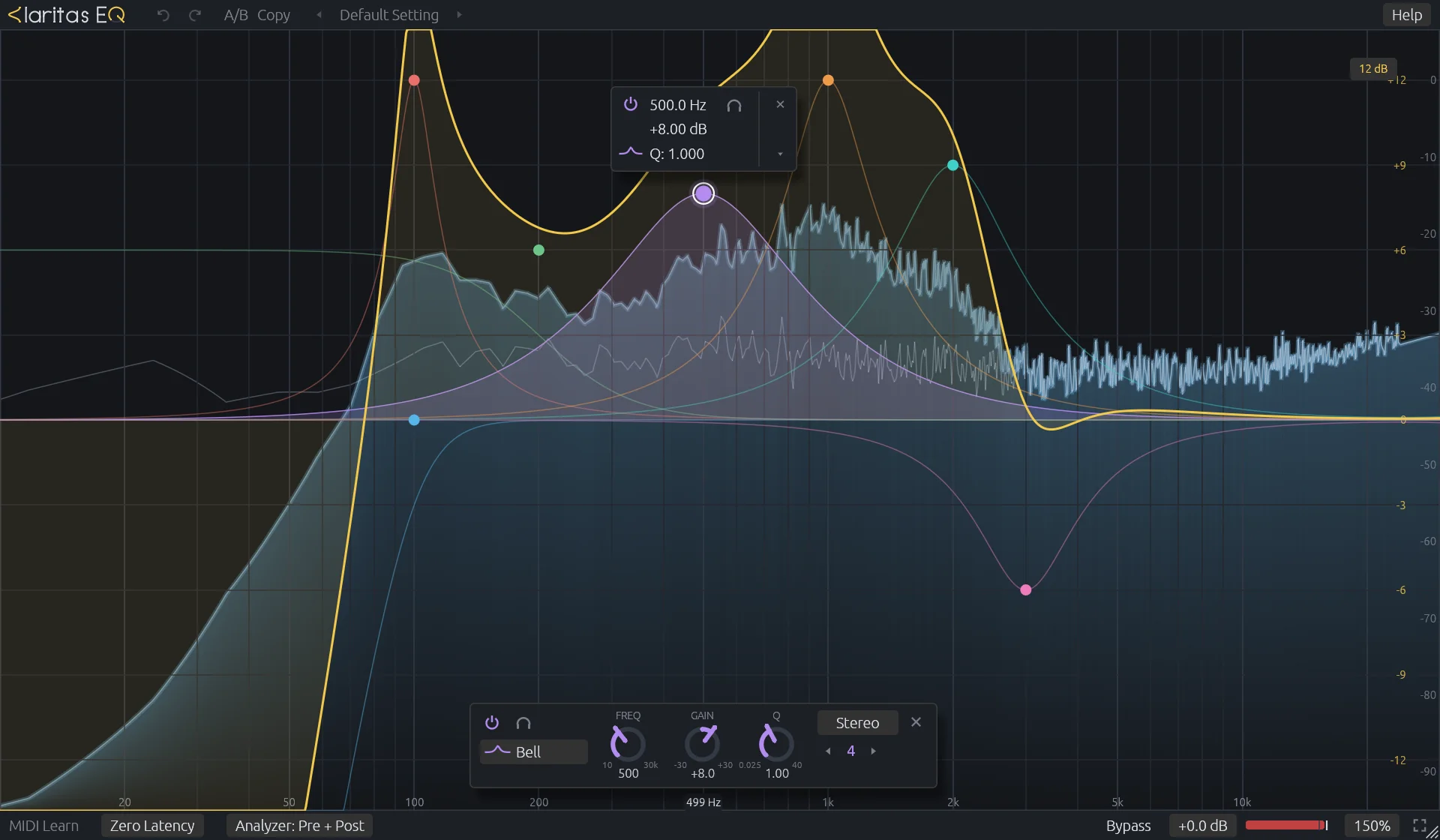
Twenty-four bands on one large display. Everything happens on the curve: the controls for a band float right under it, and disappear when you are done.
- 01
24 bands
Bell, shelves, cuts from 6 to 96 dB/oct, notch, band pass and tilt. Enough for surgery, mixing and mastering in one instance.
- 02
Analog at the top
Bells and shelves keep their analog shape up to 20 kHz instead of cramping near Nyquist. Within 0.05 dB of the reference at 16 kHz.
- 03
Mid, side, left, right
Every band can work on the whole signal or on one part of it: clean the low end of the sides, brighten the centre.
- 04
Zero latency
Minimum-phase filters, no lookahead: safe for live, for monitoring, for OBS. Natural and linear phase come next.
- 05
Never clicks, never fools you
Every parameter is smoothed, shapes crossfade, bands fade in and out. Auto gain is derived from the curve, so it holds the level without pumping.
- 06
Find it by ear
Hold a band's headphones to solo it and sweep it with the mouse. Let go and it stays where the problem was.
- 07
A spectrum you can read
Pre and post, 1/1 to 1/24 octave smoothing, peak hold, freeze, tilt. Drawn on the GPU for about 2 % of one core.
- 08
Edit on the curve
Grab the curve to add a band, right-drag a node to change its shape, click any value to type it. Every edit can be undone.
03 — Why it sounds right
The top octave,
where most EQs cheat.
A textbook digital bell squeezes its shape as it approaches half the sample rate: boost 12 dB at 14 kHz and the top end you hear is not the curve you drew. Move the slider and watch the textbook filter cramp against the analog shape Claritas follows.
Claritas designs each band, then refines it against the analog magnitude up to 20 kHz. Measured against the reference: within 0.05 dB at 16 kHz for a bell, where the textbook filter is off by several dB. The maths and measurements are in the repository.
04 — Linux first
Built on Linux,
for Linux, from day one.
Not a port. Claritas is developed and tested on Fedora with PipeWire; every design decision starts from what Linux hosts actually load.
The modern open plugin format. First-class in REAPER and Bitwig.
For Ardour, Carla, and OBS through the atkAudio host.
A JACK client that shows up as a PipeWire node: route your mic through it, capture it in OBS. No host needed.
- REAPERCLAP · VST3tested
- Bitwig StudioCLAP · VST3native
- ArdourVST3native
- CarlaCLAP · VST3native
- OBS Studiostandalone · VST3 via atkAudiolive
- PipeWirestandalone JACK nodelive
$ cargo xtask bundle -p claritas-eq --release
$ ln -s "$PWD/target/bundled/Claritas EQ.clap" ~/.clap/
$ claritas-eq --backend jack   # appears as a PipeWire node
05 — Made in the open
Read it. Measure it.
Fork it.
Audio tools you can trust are tools you can inspect. Claritas publishes the code, the maths behind every filter, and the measurements it was tuned against.
Open source
Every line is on GitHub under the GPL-3.0: the plugins, the DSP library, the tools. Build on it, and your improvements come back to everyone.
Clean room
We matched the reference by ear and by measurement only: its public manual and black-box renders of its output, never its code.
Pure Rust
No allocation, no locks, no surprises on the audio thread. Every filter ships with a test against its closed-form response.
Free · open source · Linux