Module 01 · in development
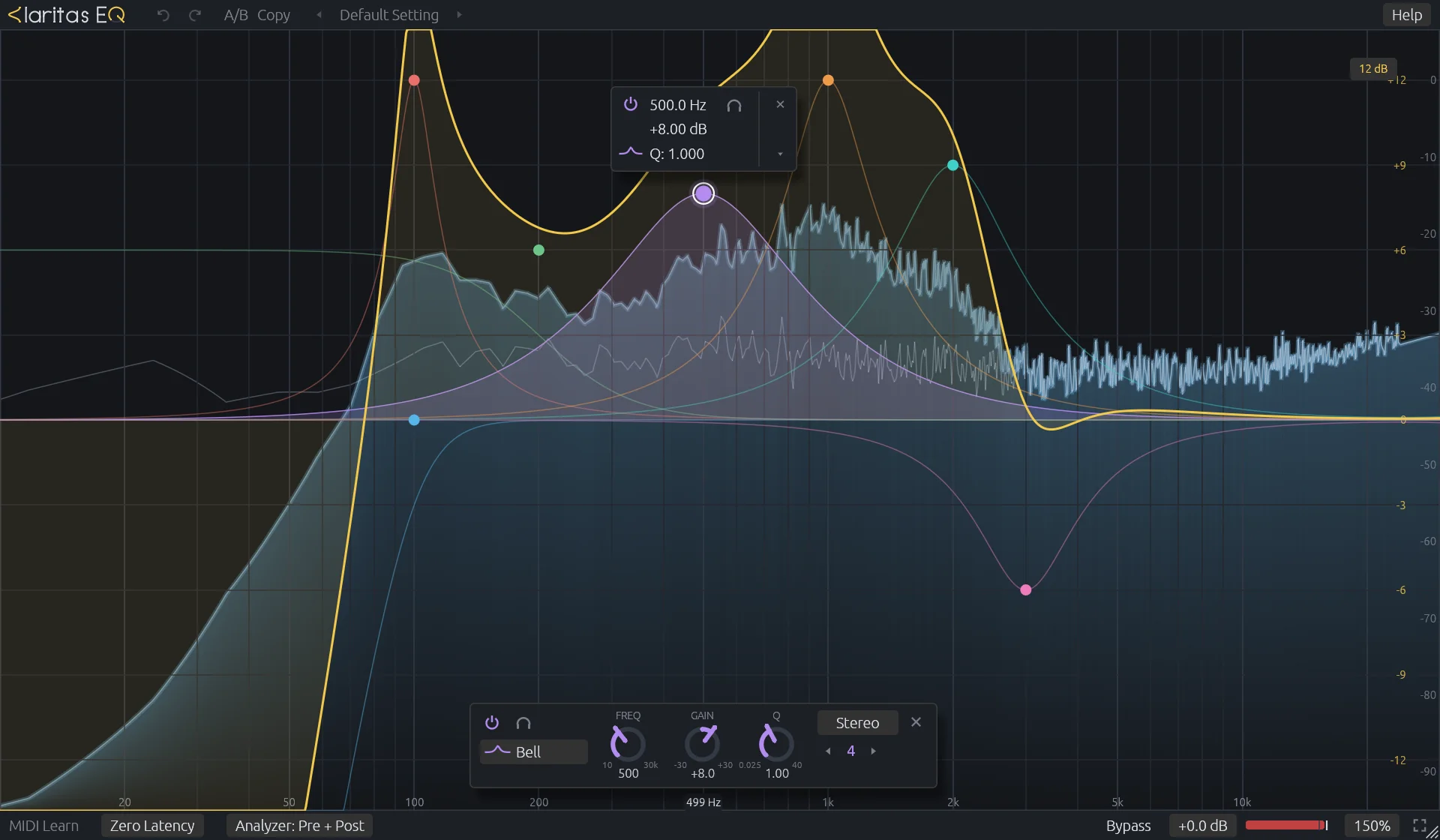
A parametric equalizer that stays out of the way of the sound and out of the way of you. Twenty-four bands, zero latency, filters that keep their analog shape all the way up, and an editor where everything happens on the curve.
01 — Workflow
Everything on the curve.
No pages, no tabs. Create, shape and move bands directly on the display.
- Double-click the display
- create a band; the shape follows the position
- Click or drag the curve
- add a band right on it, and pull it straight away
- Drag a node
- frequency and gain of every selected band
- Shift / Ctrl / Alt while dragging
- fine / Q / one axis
- Scroll over a node
- Q, or the slope of a cut; with Ctrl, gain
- Drag on empty display
- select a group of bands
- Right-drag a node up or down
- step through the shapes
- Hold the headphones
- solo the band and sweep it by ear; it stays where you let go
- Click a value
- type it in place: 1.5k, -3, 0,7
- Alt-click a node
- bypass the band
- Right-click a node
- shape, placement, solo, delete
- Scroll on empty display
- zoom the frequency axis
- Ctrl+Z / Ctrl+Shift+Z
- undo / redo every edit
02 — Specifications
The numbers.
- Bands
- 24
- Shapes
- bell, low/high shelf, low/high cut, notch, band pass, tilt shelf
- Cut slopes
- 6, 12, 18, 24, 30, 36, 48, 72, 96 dB/oct
- Frequency
- 10 Hz – 30 kHz
- Gain
- ±30 dB
- Q
- 0.025 – 40
- Placement
- stereo, left, right, mid, side
- Latency
- zero (minimum phase)
- Analyzer
- pre / post, 1024 – 8192 points, 1/1 – 1/24 octave smoothing, peak hold, tilt, freeze
- Editor CPU
- about 2 % of one core at 60 fps with the analyzer running
- Formats
- CLAP, VST3, standalone JACK / PipeWire
- Platform
- Linux x86-64
- License
- GPL-3.0-or-later
03 — Status
Coming to your .clap folder.
The audio engine is done and verified against the reference by measurement and by ear. The editor has been through its first round of refinement and draws more lightly than the reference's. Version 0.1 will ship ready-made binaries; until then, build from source in a few minutes.